
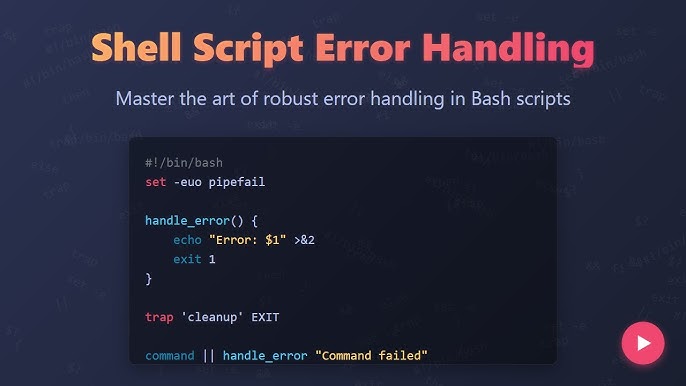
Bash is powerful, but it’s also unforgiving. A single unchecked command failure can break deployments, corrupt data, or leave systems in inconsistent states. That’s why robust error handling in Bash is not optional—it’s essential for building reliable automation in 2026.
This guide focuses on practical patterns for making Bash scripts safer, predictable, and production-ready.
Why Error Handling Matters in Bash
By default, Bash scripts are optimistic: they assume everything succeeds unless told otherwise.
Common failure risks:
- Commands silently failing
- Partial script execution
- Corrupted output files
- Broken deployment pipelines
- Unnoticed permission or network errors
Key insight:
In Bash, no news is not good news—it usually means you didn’t check the result.
Step 1: Exit on Errors Immediately
The simplest safety improvement is stopping execution when something fails.
Enable strict mode:
set -e
What it does:
- Exits script immediately if any command fails
Improved strict mode:
set -euo pipefail
Breakdown:
-e→ exit on error-u→ error on undefined variables-o pipefail→ fail if any pipeline command fails
Key insight:
Strict mode turns Bash into a fail-fast system instead of a silent failure system.
Step 2: Check Command Exit Codes Explicitly
Every command returns an exit code.
Example:
cp file.txt /backup/

if [ $? -ne 0 ]; then
  echo "Copy failed!"
  exit 1
fi
Better approach:
if ! cp file.txt /backup/; then
  echo "Copy failed!"
  exit 1
fi
Key insight:
Explicit checks make script behavior predictable and debuggable.
Step 3: Use Trap for Cleanup and Failures
The trap command allows you to handle errors globally.
Basic trap usage:
trap 'echo "Error occurred at line $LINENO"; exit 1' ERR
Cleanup example:
trap 'rm -f temp.txt' EXIT
What it enables:
- Automatic cleanup on failure
- Centralized error logging
- Debugging line numbers
Key insight:
trap acts like a global safety net for scripts.
Step 4: Validate Inputs Before Execution
Many script failures come from bad input.
Example:
if [ -z "$1" ]; then
  echo "Usage: script.sh <filename>"
  exit 1
fi
Advanced validation:
if [ ! -f "$1" ]; then
  echo "File does not exist"
  exit 1
fi
Key insight:
Most runtime errors can be prevented at the input validation stage.
Step 5: Handle Pipelines Safely
Pipelines can hide failures if not configured properly.
Problem example:
cat file.txt | grep "error" | wc -l
If grep fails, the pipeline may still succeed.
Fix with pipefail:
set -o pipefail
cat file.txt | grep "error" | wc -l
Key insight:
Without pipefail, Bash only checks the last command in the pipeline.
Step 6: Use Conditional Execution
Bash supports short-circuit logic for safer execution.
AND execution:
mkdir backup && cp file.txt backup/
OR fallback:
cp file.txt backup/ || echo "Copy failed"
Key insight:
Conditional chaining reduces the need for verbose error handling in simple scripts.
Step 7: Logging Errors Properly
Good scripts don’t just fail—they explain why.
Basic logging:
echo "Error: backup failed" >> error.log
Improved logging:
log_error() {
  echo "[$(date)] ERROR: $1" >> error.log
}
Usage:
log_error "Database connection failed"
Key insight:
Logs turn silent failures into traceable events.
Step 8: Use Functions for Isolated Error Handling
Functions help localize failure scope.
Example:
backup() {
  cp file.txt /backup/ || return 1
}
Calling safely:
if ! backup; then
  echo "Backup failed"
  exit 1
fi
Key insight:
Functions make scripts modular and easier to debug.
Step 9: Retry Failed Operations
Temporary failures are common in networking and I/O.
Retry pattern:
for i in 1 2 3; do
  curl https://example.com && break
  echo "Retrying..."
  sleep 2
done
Key insight:
Retries convert fragile scripts into resilient automation.
Step 10: Handle Signals Gracefully
Scripts can be interrupted unexpectedly.
Catch interrupts:
trap "echo 'Script interrupted'; exit 1" INT TERM
Use case:
- Prevent partial writes
- Clean up temporary files
- Maintain system integrity
Key insight:
Signal handling protects against incomplete execution states.
Step 11: Debugging Bash Scripts Effectively
When things go wrong, debugging becomes critical.
Enable debug mode:
bash -x script.sh
Trace execution:
set -x
Key insight:
Debug mode turns scripts into transparent execution flows.
Common Error Handling Mistakes
- Not using
set -e - Ignoring exit codes
- Missing input validation
- Poor or missing logging
- Assuming pipelines always succeed
- No cleanup on failure
Best Practices for Reliable Bash Scripts
1. Always use strict mode
set -euo pipefail
2. Validate everything early
Fail fast before doing work.
3. Log all failures
Make errors observable.
4. Use traps for cleanup
Prevent leftover temporary state.
5. Design for retries
Expect failure in real-world systems.
Final Insight
Reliable Bash scripting is not about avoiding errors—it’s about designing scripts that behave predictably when errors inevitably occur.
In production environments, the difference between fragile and robust automation comes down to a few principles:
- Fail fast
- Log clearly
- Clean up safely
- Validate inputs
- Handle interruptions
When applied consistently, these patterns turn Bash from a simple scripting tool into a dependable automation layer for real-world systems.