

As Bash scripts grow beyond a few dozen lines, they tend to become fragile, hard to maintain, and difficult to reuse. What starts as a quick automation tool often turns into a tangled script that only one person understands.
Modular Bash scripting solves this by introducing structure, separation of concerns, and reusability—turning simple scripts into scalable automation systems.
Why Modularity Matters in Bash
Without modular design, Bash scripts quickly suffer from:
- Repeated code blocks
- Hardcoded values everywhere
- Difficult debugging
- Low reusability
- Risky modifications
Key insight:
A modular script is easier to extend than to rewrite.
Step 1: Think in Functions, Not Scripts
The foundation of modular Bash is functions.
Example: non-modular script
cp file.txt backup/
tar -czf backup.tar.gz backup/
rm -rf backup/
This works—but cannot be reused or tested easily.
Modular version:
backup_files() {
  cp file.txt backup/
}

compress_backup() {
  tar -czf backup.tar.gz backup/
}

cleanup() {
  rm -rf backup/
}
Main execution:
backup_files
compress_backup
cleanup
Key insight:
Functions turn scripts into composable building blocks.
Step 2: Separate Concerns Clearly
Each function should do one thing well.
Good design:
- One function = one responsibility
- No mixing logic layers
Example structure:
fetch_data() {
  echo "Fetching data..."
}

process_data() {
  echo "Processing data..."
}

store_data() {
  echo "Storing data..."
}
Key insight:
Separation of concerns makes debugging predictable.
Step 3: Use a Clear Script Entry Point
Always define a main function.
main() {
  fetch_data
  process_data
  store_data
}

main "$@"
Why this matters:
- Makes execution flow explicit
- Improves readability
- Mimics structure of modern programming languages
Step 4: Use Variables Instead of Hardcoding
Hardcoded values reduce flexibility.
Bad:
cp file.txt /backup/
Better:
SOURCE="file.txt"
DEST="/backup/"
cp "$SOURCE" "$DEST"
Key insight:
Configuration should be separate from logic.
Step 5: Group Related Functions into Sections
As scripts grow, organization becomes critical.
Example layout:
# ===== CONFIG =====
SOURCE="/data"
DEST="/backup"

# ===== FUNCTIONS =====
backup_files() {
  cp "$SOURCE" "$DEST"
}

compress_backup() {
  tar -czf backup.tar.gz "$DEST"
}

# ===== MAIN =====
main() {
  backup_files
  compress_backup
}

main "$@"
Key insight:
Visual structure improves maintainability.
Step 6: Create Reusable Script Libraries
Instead of duplicating functions across scripts, split them into files.
Example structure:
scripts/
  lib/
    logging.sh
    file_utils.sh
  backup.sh
  deploy.sh
Importing modules:
source ./lib/logging.sh
source ./lib/file_utils.sh
Key insight:
Modular scripts behave like a lightweight library system.
Step 7: Build a Logging Module
Logging is one of the most reusable components.
log_info() {
  echo "[INFO] $1"
}

log_error() {
  echo "[ERROR] $1" >&2
}
Usage:
log_info "Backup started"
Key insight:
Centralized logging improves observability across scripts.
Step 8: Add Input Validation Module
Reusable validation improves reliability.
validate_file() {
  if [ ! -f "$1" ]; then
    log_error "File not found: $1"
    exit 1
  fi
}
Usage:
validate_file "$SOURCE"
Key insight:
Validation should be reusable, not duplicated.
Step 9: Handle Errors Globally
Instead of scattered checks, centralize error handling.
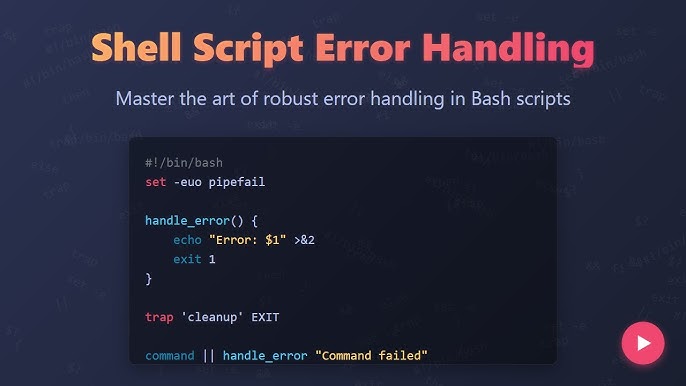
set -euo pipefail

trap 'log_error "Error on line $LINENO"' ERR
Key insight:
Global error handling reduces redundant code.
Step 10: Pass Arguments Cleanly
Modular scripts should accept inputs dynamically.
Example:
main() {
  SOURCE="$1"
  DEST="$2"

  validate_file "$SOURCE"
  backup_files
}
Run:
./script.sh file.txt /backup/
Key insight:
Scripts should behave like parameterized tools, not fixed workflows.
Step 11: Build Configurable Scripts
Move settings into config files.
config.sh:
SOURCE="/data"
DEST="/backup"
RETENTION_DAYS=7
Load it:
source ./config.sh
Key insight:
Configuration separation enables environment flexibility.
Step 12: Make Scripts Composable
Modular scripts should work together.
Example pipeline:
fetch_data && process_data && store_data
Or chained execution:
main_fetch | main_process | main_store
Key insight:
Composable scripts behave like a Unix-style toolkit.
Common Mistakes in Bash Modularity
- Writing overly large functions
- Mixing configuration and logic
- Duplicating code instead of sourcing modules
- Not naming functions clearly
- Ignoring script entry points
- Overengineering small scripts
Best Practices for Scalable Bash Design
1. Keep functions small and focused
Each function should do one task only.
2. Separate logic from configuration
Use external config files where possible.
3. Reuse modules across scripts
Avoid duplication at all costs.
4. Standardize structure
Use consistent layout across all scripts.
5. Treat scripts like software
Version control, documentation, and testing matter.
Advanced Modularity Patterns
1. Plugin-style architecture
Load optional modules dynamically.
2. Environment-based configuration
Different configs for dev, staging, production.
3. Shared utility libraries
Central repository of reusable Bash functions.
4. CLI-style interfaces
Scripts behave like full command-line tools.
Final Insight
Modular Bash scripting transforms automation from fragile one-off scripts into scalable, maintainable systems.
The key shift is simple but powerful:
Instead of writing scripts that just “work,” you start building scripts that are:
- Composable
- Reusable
- Configurable
- Predictable
When Bash is structured properly, it stops being a scripting language for quick fixes and becomes a lightweight automation framework for real-world infrastructure.