
Cron jobs are one of the most reliable and widely used automation tools in Linux systems. Even in 2026, when cloud-native schedulers and orchestration platforms dominate large-scale infrastructure, cron remains the go-to solution for simple, local, and highly dependable task scheduling.
This guide explains how cron works, how to write schedules correctly, and how to use it like a professional system administrator.
What Is a Cron Job?
A cron job is a scheduled task that runs automatically at specified times on a Linux system.
It is managed by the cron daemon, a background service that continuously checks for scheduled tasks and executes them.
Key idea:
Cron transforms your system into a time-aware automation engine.
Understanding the Cron Format
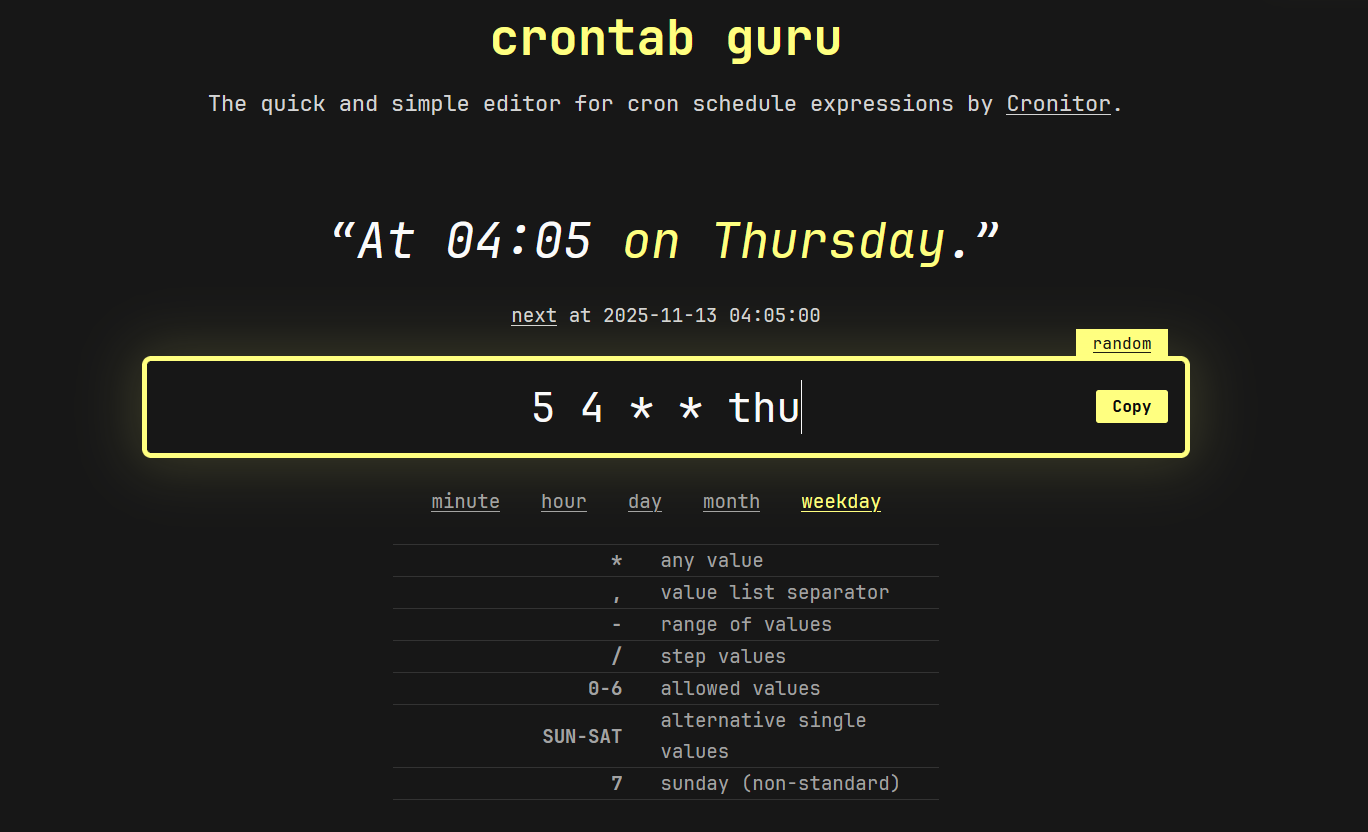
A cron schedule is defined using five time fields.
* * * * * command_to_run
Breakdown:
| Field | Meaning | Example |
|---|---|---|
| 1 | Minute | 0–59 |
| 2 | Hour | 0–23 |
| 3 | Day of month | 1–31 |
| 4 | Month | 1–12 |
| 5 | Day of week | 0–7 (Sunday = 0 or 7) |
Example:
0 2 * * * /home/user/backup.sh
This runs:
- At 2:00 AM
- Every day
Editing Cron Jobs
To manage cron jobs, use:
crontab -e
To view existing jobs:
crontab -l
To remove all cron jobs:
crontab -r
Common Scheduling Patterns
1. Run every minute
* * * * * command
2. Run every hour
0 * * * * command
3. Run daily at midnight
0 0 * * * command
4. Run weekly (Sunday at 3 AM)
0 3 * * 0 command
5. Run monthly (1st day at 4 AM)
0 4 1 * * command
Practical Cron Job Examples
1. Automated backups
0 1 * * * /home/user/scripts/backup.sh
Runs daily at 1 AM.
2. Log cleanup
0 0 * * 0 rm -rf /var/log/old_logs/*
Runs weekly cleanup.
3. System updates
0 3 * * 1 sudo apt update && sudo apt upgrade -y
Runs every Monday at 3 AM.
4. Website health check
*/10 * * * * curl -s https://example.com > /dev/null
Runs every 10 minutes.
Special Cron Syntax Shortcuts
1. Every minute
* * * * *
2. Every 5 minutes
*/5 * * * *
3. Every day at a specific time
30 6 * * *
Key insight:
The */n syntax is one of the most powerful features for frequent scheduling.
Redirecting Output (Very Important)
By default, cron jobs do not show output unless configured.
Log output to file:
0 2 * * * /home/user/backup.sh >> /var/log/backup.log 2>&1
Breakdown:
>>appends output2>&1redirects errors to the same log
Environment Differences in Cron
Cron runs in a minimal environment, which often causes confusion.
Common issue:
Scripts work in terminal but fail in cron.
Solution:
Always define full paths:
/usr/bin/python3 /home/user/script.py
Or define environment variables explicitly:
PATH=/usr/local/sbin:/usr/local/bin:/usr/sbin:/usr/bin:/sbin:/bin
Using Scripts Instead of Inline Commands
It is better to call scripts than write long commands in cron.
Example:
/home/user/scripts/cleanup.sh
Benefits:
- Easier debugging
- Better readability
- Reusability
- Version control support
Managing Multiple Users’ Cron Jobs
System-wide cron directories:
/etc/cron.hourly//etc/cron.daily//etc/cron.weekly//etc/cron.monthly/
User-specific cron:
crontab -u username -e
Debugging Cron Jobs
1. Check system logs
grep CRON /var/log/syslog
2. Test script manually
Always run scripts outside cron first.
3. Add logging
* * * * * /home/user/script.sh >> /tmp/cron.log 2>&1
Common Mistakes with Cron Jobs
- Forgetting to use full paths
- Not handling environment variables
- Ignoring output logs
- Over-scheduling tasks too frequently
- Running long scripts without monitoring
- Not testing scripts manually first
Best Practices for Cron Jobs
1. Keep tasks small and focused
Each cron job should do one thing well.
2. Always log output
Prevent silent failures.
3. Use scripts instead of inline commands
Improves maintainability.
4. Avoid overlapping jobs
Prevent resource conflicts.
5. Document all scheduled tasks
Future you will thank you.
Advanced Cron Techniques
1. Conditional execution
0 2 * * * [ -f /home/user/flag ] && /home/user/script.sh
2. Randomized scheduling (avoid load spikes)
0 3 * * * sleep $((RANDOM % 3600)) && /home/user/script.sh
3. Chain multiple commands
0 1 * * * command1 && command2 && command3
When Not to Use Cron
Cron is simple, but not always the best tool.
Avoid cron when:
- You need complex dependency management
- Tasks require retries and state tracking
- You need distributed scheduling
- Real-time event handling is required
Better alternatives include modern orchestration tools, but cron remains ideal for simple, reliable automation.
Final Insight
Cron jobs are powerful because they are simple. They don’t require complex infrastructure or external services—just a clear schedule and a reliable command.
In 2026, while modern automation platforms handle large-scale distributed workflows, cron continues to excel at what it was designed for:
- Predictable execution
- Lightweight scheduling
- System-level automation
Mastering cron means mastering one of the most fundamental tools in Linux system administration—turning manual repetition into fully automated, time-driven workflows.